Modpack Updates
Step by step guide on how to update our Official Modpacks
On this page
GGPlays modpack: The download link is being prepared. Use the GGPlays join page for the confirmed pack and connection details. Launcher screenshots below illustrate the shared setup.
 Modrinth
Open the Modrinth App
Open the Library tab on the left, and click GGPlays Cobblemon
Click the Update Pack button
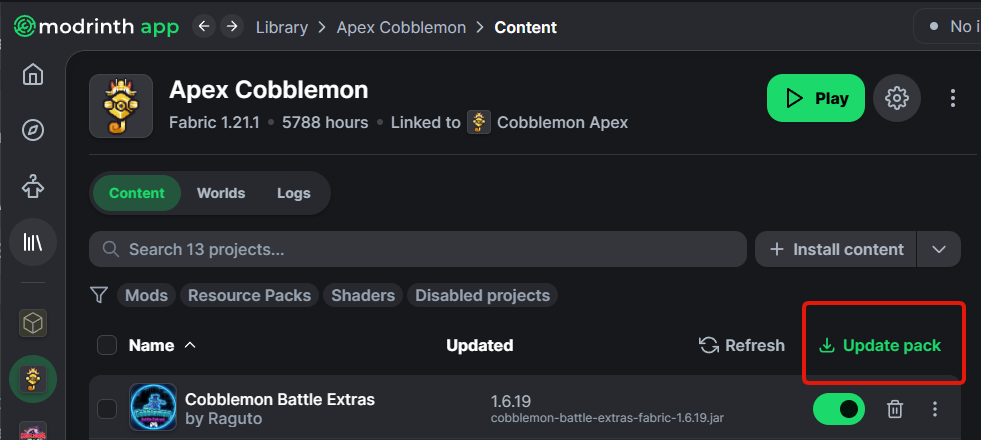
Select the latest version
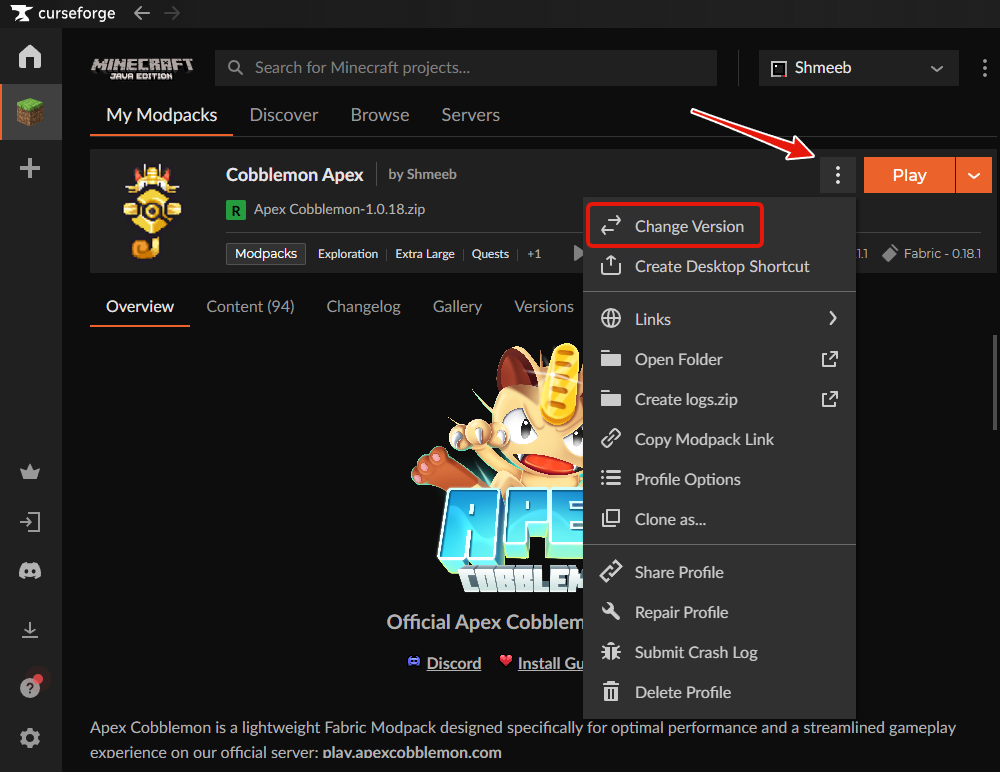
 CurseForge
Open the CurseForge App
Navigate to the GGPlays Cobblemon Modpack
Click the button with 3 dots in the top right
Select Change Version, then Continue
Edit this page on GitHub Last updated